Allbirds' mobile homepage does the thing most DTC storefronts get wrong: it lands the H1 and two calls to action inside the first 812 pixels of a phone screen, no scroll required. The product page puts breadcrumb, title, price and the free-shipping badge in the first 540 px. Collection grids place the first product at y=368. Under the hood, Allbirds runs a security and email-authentication setup — CSP, HSTS, X-Frame-Options: DENY, SPF and DMARC at p=quarantine — that's stronger than most retailers its size bother with.
None of that is where this audit's story is. The story is underneath: a consent platform that has been silently 404ing on every single page load, three legal documents a keyboard cannot open, and a homepage that takes 12,664 milliseconds to paint its largest element on mobile. The shopping experience is the part Allbirds got right. This piece is about the four things sitting under it that nobody shopping the site would ever notice — until the wrong person does.
I've put the full findings, page by page, screenshot by screenshot, in the report. One note on tense: the audit ran once, on the audit date, and most of these finding classes (axe, Lighthouse, schema) need a full crawl to re-verify, so everything below is reported as it stood when the audit ran, not re-confirmed fresh today.
- The undefined consent platform
- Legal pages a keyboard cannot reach
- The 12-second mobile hero
- Accessibility odds and ends
- Structured data that does not match the page
- Two loose ends
- Where I would start
The undefined consent platform
Every page on the site requests https://cdn.cookielaw.org/consent/undefined/OtAutoBlock.js. Read that URL again: the OneTrust data-domain ID — the value that's supposed to be a GUID identifying Allbirds' account — has been interpolated as the literal string undefined. The request 404s. The audit confirmed it live: window.OneTrust is undefined, and the site's own integration flag reports isOneTrustActive: false.
This isn't cosmetic. OtAutoBlock.js is specifically the script that's supposed to block tracking cookies until a visitor consents. Because it never loads, nothing blocks anything, and no consent banner renders at all. Meanwhile the audit found 9 advertising cookies set on page load with zero consent interaction: _fbp (Meta), _ga and _gcl_au (Google), _tt_enable_cookie, _ttp, ttcsid (TikTok), _rdt_uuid (Reddit), _pin_unauth (Pinterest), and IR_gbd / IR_PI (Impact).
There's a second casualty. The footer carries a control labeled "Do Not Sell My Personal Information" — the CCPA/CPRA opt-out link every California-facing retailer is required to offer. It's wired to call the OneTrust SDK's preference center. There is no SDK. The button is present, styled, clickable, and does nothing.
I'd put this at the top of the list not because it's the most expensive line item to fix — it's a config typo, arguably a 30-minute fix — but because of what it is: a live legal-compliance control that has been silently broken since whenever that data-domain ID got mistyped, on every page, with nobody the wiser because the storefront looks completely normal on top of it.
Fix, per the report: populate the correct OneTrust data-domain ID in the theme setting that builds the script URL, confirm window.OneTrust initializes and the script returns 200, then re-test that the "Do Not Sell" button actually opens a preference center. About 30 minutes to correct the config, another hour to verify the tracker gating actually holds.
Legal pages a keyboard cannot reach
The Privacy Policy, Terms of Service, and Refund Policy links in the footer aren't links. They're rendered as <a role="button" aria-controls="modal-privacy-policy"> — with no href and no tabindex. An anchor with no href never enters the tab order. The audit tried calling .focus() on all three elements live; it failed on all three. A keyboard-only or switch-access visitor cannot open any of Allbirds' three core legal documents. That's a plain WCAG 2.1.1 Keyboard failure, Level A, on exactly the pages a visitor is most entitled to read.
It gets worse once you notice what "modal-only" means for a document: none of the three policies has its own URL. They can't be linked from an email, cited in an app-store listing, or referenced in a dispute. The audit's own privacy scan came up with nothing to crawl — just a mailto:privacy@allbirds.com.
And because all three policies are pasted into the footer as fully-rendered, hidden (display:none) HTML rather than loaded on demand, they're heavy: the audit measured 80,682 characters of markup for the Privacy Policy modal alone (335 elements), 55,738 characters for Terms of Service (372 elements), and 3,465 for the Refund Policy.
Combined, that's 139,885 characters — 21.1% of the homepage's entire 663,268-character document, and 29.2% of the blog index's. The audit counted the visible legal text at 97,829 characters against just 2,521 characters of actual homepage body copy: a 39:1 ratio of boilerplate to content, shipped on every single URL before a single product image loads.
It also explains a heading bug that shows up across the whole site. The Terms of Service content was pasted in with its own heading intact, so every page on Allbirds silently carries a stray <h1>Table of Contents</h1> — hidden, but real, and it's why several pages report two <h1> elements when only one is visible.
The tap target is a smaller problem riding along with the same markup: at 16 px tall on mobile, all three links sit under the 24×24 px minimum from WCAG 2.5.8 Target Size.


Contrast measured 16.1 both before and after — this was never a color problem, only a focusability and target-size one.
Fix, per the report: publish /pages/privacy-policy, /pages/terms-of-service, and /pages/refund-policy as real, crawlable pages, and point the footer anchors at them with a genuine href — the modal can stay as progressive enhancement, but the anchor needs a real destination. Load the modal content on demand instead of inlining 140 KB of hidden HTML into every response, or at minimum demote the pasted <h1>Table of Contents</h1> to a <h2>. About 1.5 hours for the link fix, roughly 3 hours to lazy-load the modals properly.
The 12-second mobile hero
Lighthouse's mobile lab run scores Allbirds' homepage 49 out of 100 and the product page 42. Largest Contentful Paint — the metric that tracks when the biggest visible element actually finishes painting — lands at 12,664 ms on the homepage and 10,021 ms on the product page, against Google's 2,500 ms "good" threshold. Time to Interactive stretches to 21,110 ms and 27,067 ms.
Two things are doing most of the damage, and neither is the unavoidable cost of a rich storefront. First, JavaScript: the audit found 567 KiB of unused JS on the homepage (an estimated 750 ms of savings) and 555 KiB on the product page (1,200 ms), and traced most of it to six separate Google tag containers loading on every page — two GTM containers (GTM-TH8KRSBJ at 194,076 bytes, GTM-WWZFMZRX at 166,599 bytes) plus four separate gtag loads (G-KB1068K0E6, and three AW-* Google Ads IDs: 786649265, 935878905, 736740096), each shipping a near-duplicate copy of the same library. Third-party code alone blocks the main thread for 800 ms on the homepage.
Second, images. The audit's "properly size images" check found 675 KiB of savings available on the homepage and 356 KiB on the product page. The homepage hero, 26Q1_DasherNZ_Site_Homepage_Hero_Desktop_16x9-3.jpg, is 573,148 bytes — a desktop-sized file being handed to a 375 px phone. Total page weight comes to 5,238 KiB on the homepage and 4,909 KiB on the product page.
What I want to call out, because it's easy to skip past when everything else on this list is a problem: layout stability is genuinely good. CLS measured 0.005 on the homepage and 0.087 on the product page, both comfortably inside the 0.1 "good" threshold. Getting CLS right on a page with a hero carousel, sticky add-to-cart bar, and a promo banner is not the default outcome — someone reserved space correctly. It's the load time, not the shift, that's the problem here.
Fix, per the report: consolidate the four AW-* Google Ads gtag loads and two GTM containers — that's the single largest available saving, at roughly 4 hours of engineering for most of the JS win. Serve the homepage hero at mobile widths instead of shipping the desktop asset to every device. Preload the LCP image and defer non-critical third-party tags until after first interaction. Call it two days of engineering work total, separate from and larger than everything else on this list.
Accessibility odds and ends
Three more accessibility findings, none as large as the keyboard-unreachable legal links above, all worth a fix.
axe flagged button-name at critical impact on all six pages audited, at all three viewports: the previous/next arrows on the announcement bar — a 24×24 px control at the very top of every page — contain only an <svg> with no accessible name, so a screen reader announces "button" with no indication of what it does. This is WCAG 4.1.2 Name, Role, Value (see the axe rule), and it's the only critical accessibility rule failing site-wide. What makes it an easy fix: the exact same page already has a second, correctly-labeled pair of swiper arrows (aria-label="Previous" / aria-label="Next") elsewhere on the layout. The pattern exists in the codebase — it just wasn't applied to this instance.
On the product page's mobile viewport, the sticky add-to-cart bar contains an <a href=""> with no text content, sitting where the product name should render. It's focusable, and because href="" resolves to the current URL, activating it silently reloads the page and discards the visitor's scroll position — see the axe rule. The bar itself renders fine (375×97 px, "SHOP NOW" visible) — the product-name slot next to it is just empty.
And the blog index's article grid is marked up as role="list" wrapping <article tabindex="0"> children directly — a list role requires listitem children, so this fails aria-required-children at critical impact, and assistive tech may drop the list semantics (and the "9 articles" count) entirely.
Fix, per the report: add aria-label="Previous announcement" / "Next announcement" to the two unlabeled swiper buttons (about 15 minutes — the fastest fix on this entire audit). Populate or remove the empty sticky-bar link (about 20 minutes). Switch the blog grid to <ul>/<li> or add role="listitem" to each article (about 20 minutes).
Structured data that does not match the page
Several smaller SEO and schema findings, each small on its own, each worth fixing.
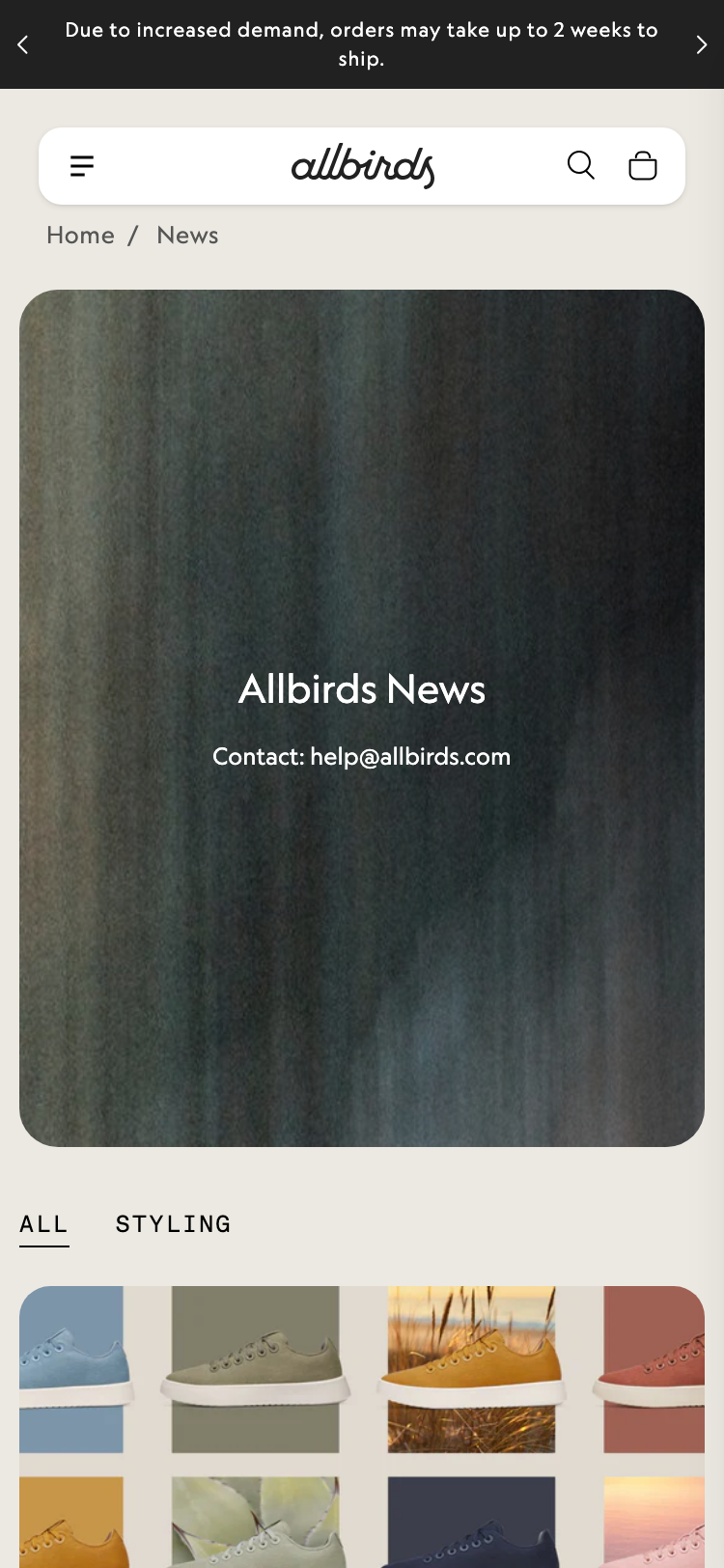
/blogs/news displays "Allbirds News" as its visible title, but it's marked up as <p class="text-xl">, not a heading. Because the page's Terms-of-Service modal is hiding its own <h1>Table of Contents</h1> (see above), that stray heading is the only <h1> the blog index has — a page whose actual title isn't a heading at all. The page also ships <meta name="description" content="">, empty, so its social preview falls back to the same generic homepage boilerplate used on four other pages.
The Women's Tree Runner NZ product page has the opposite problem: five <h1> elements, three of them visible — the product title, plus two marketing section headers, "Breathable By Nature" and "Better Things in a Better Way," that should be <h2>s. Telling a crawler a page is about three different things dilutes all three.
The product page's aggregateRating JSON-LD is an orphan: no @context, no top-level @type, and it isn't attached to the page's ProductGroup node, so the 4.2-star, 148-review signal it carries isn't resolvable to any product a parser can actually read. Worth flagging before anyone fixes the markup, though: on the session the audit rendered, the reviews widget itself initialized with zero children and the section took up 0 px — apparently gated behind an Amplitude experiment flag that wasn't set to "visible." The rating markup ships unconditionally regardless. Google's structured-data guidance expects rating markup to match what a visitor can actually see, so whoever fixes the orphan block should gate it behind the same flag as the widget.
The homepage — the one page where entity markup matters most — emits zero JSON-LD. No Organization, no WebSite. The collection pages have CollectionPage, the product page has ProductGroup, the blog index has Blog; the homepage alone has nothing tying the domain to Allbirds' name, logo, or verified social profiles.
And both apparel collection pages have a gap between what their schema claims and what they show:
There's a merchandising story riding under those numbers, not just a markup bug. The men's page is titled "Shirts, Boxers, & Socks" and promises "ultra-soft tees … breathable socks and comfortable sweats" in its intro copy — then the six products it actually renders are all socks, four of them different colorways of the same Anytime No Show Heel Grip Sock.
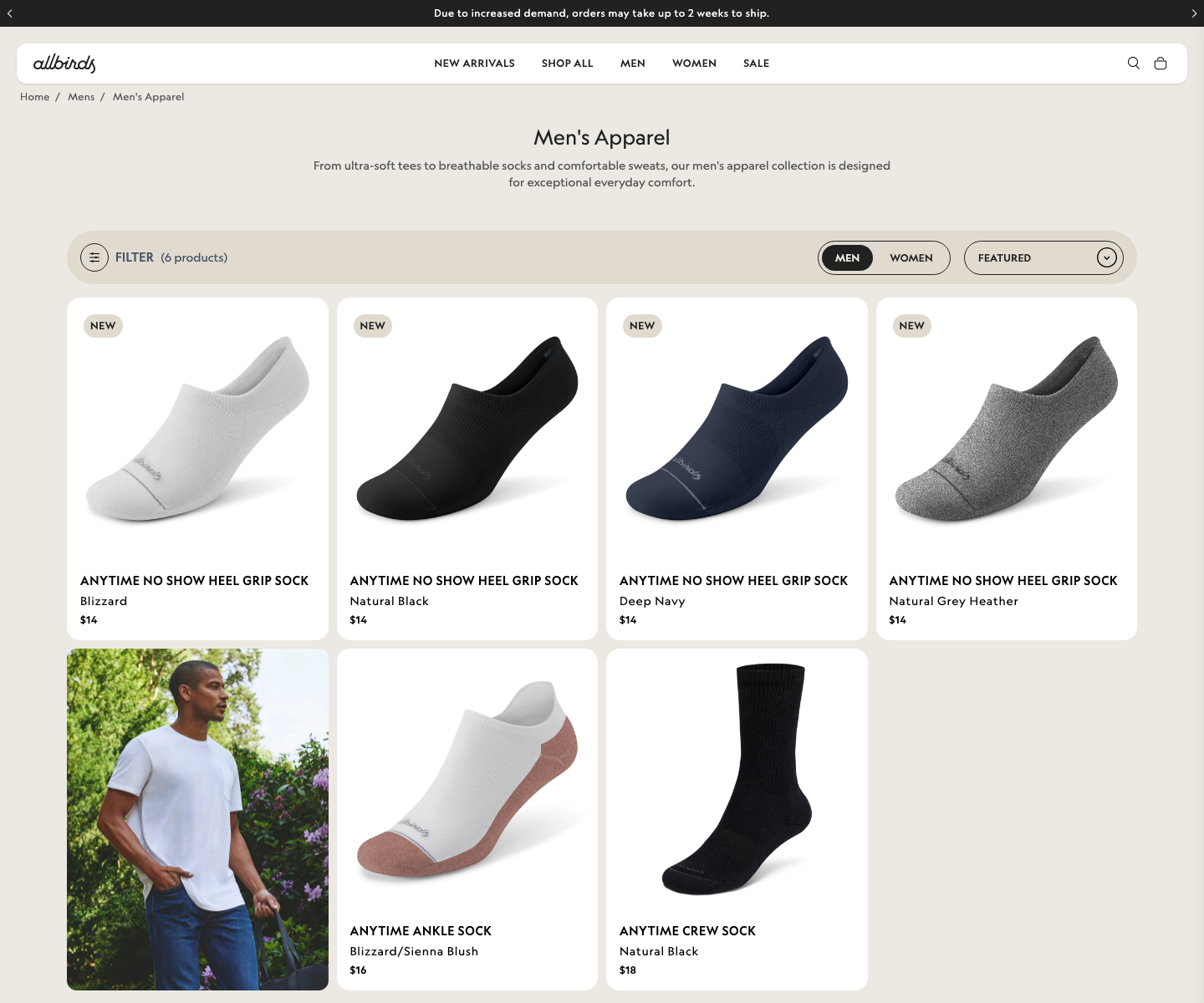
A shopper who searches "allbirds men's t-shirt" and lands here was promised shirts and got socks. Whether the right fix is the schema count or the collection contents is a merchandising call, not mine to make — but today numberOfItems and the actual grid disagree on both pages, and that's unambiguously a bug regardless of which way the merchandising question goes.
Last in this section: both apparel collection pages serve a promo banner whose srcset contains raw, unexecuted Liquid template code — {{ block.settings.desktop_image | image_url: width: 1600 }} 1600w, … — shipped to the browser verbatim instead of being evaluated server-side. The image still displays because the fallback src resolves, which is exactly why nobody caught it; but the browser has no valid responsive candidates to pick from, and on the men's page the fallback URL itself terminates in an empty &width=. The console confirms it on every load: "Failed parsing 'srcset' attribute value since it has an unknown descriptor."
Fix, per the report: promote the blog's title <p> to <h1> and write it a real meta description (15 minutes). Demote the two PDP marketing headers to <h2> (30 minutes). Move aggregateRating inside the ProductGroup node and gate it behind the same flag as the reviews widget (45 minutes). Add Organization and WebSite JSON-LD to the homepage, and BreadcrumbList to collection and product templates that already render breadcrumbs visually (about an hour). Sync numberOfItems to whatever renders the filter-bar count so the two can't diverge again (30 minutes), then take the merchandising question to whoever owns that collection separately. Unescape the Liquid in the promo banner template and fix the empty-width fallback (30 minutes).
Two loose ends
Two findings that don't fit the sections above.
Every page declares og:image over http://, not https:// — a metadata typo, not an active vulnerability; the audit's security scan found no actual mixed content anywhere on the six pages tested, and CSP, HSTS, X-Frame-Options: DENY and X-Content-Type-Options: nosniff are all present and correct. twitter:image is missing entirely on all six pages despite twitter:card being declared as summary_large_image.
And on /collections/womens-apparel, the audit's console log filled up with 18 identical uncaught TypeErrors from a third-party app called Redo (Cannot read properties of undefined (reading 'page')), one per product tile by the look of the pattern. Nothing visibly breaks on the page — the grid renders, products are clickable — which is presumably why it's gone unnoticed this long. A Meta Pixel "Invalid parameter format for currency" warning and a DataCloneError from the Shopify web-pixels sandbox showed up alongside it.
Fix, per the report: switch og:image to https:// and add the missing twitter:image (20 minutes). Raise the Redo TypeError with the vendor, stack trace in hand, or re-check the app's collection-template configuration; separately, fix the Meta Pixel currency parameter, which should be a plain ISO code like USD, not a formatted price string.
Where I would start
The audit scored Allbirds 5.1 out of 10 — a number that undersells how good the shopping experience actually is, and is entirely explained by four critical findings stacked on top of it. If I were doing this in order: start with the roughly 2.5-hour pass that fixes the OneTrust config, labels the announcement-bar arrows, promotes the blog's <h1>, and unescapes the promo-banner srcset. That clears two of the four critical findings and the entire accessibility section in an afternoon.
I'd put it ahead of the performance work, even though the performance numbers are the biggest on this page, for one reason: a consent SDK that 404s on every page and a "Do Not Sell" button wired to nothing is a legal exposure sitting live on the site right now. A slow LCP costs conversions. A broken consent platform is a different category of risk, and it's the cheaper fix besides. Performance is real work — plan two days for it, separately, once the compliance gap is closed.